
背景#
开发LunaBox也有小半个月了,也算是半深度用了wails这个跨端方案
这一路上可谓是又爱又恨,一方面go + react这种开发模式是真的爽
- 比tauri编译稍微快了一些
- 比electron的包小
- golang还比较熟悉
- 最最重要的是还能使用我(和ai)最爱的web前端开发那一套😋👍
每天要干的事情就是看ai在vscode里杀穿前后端,为ai处理一些它看不懂的疑难杂症,顺便稍稍cr一下ai的代码,go和react这两位ai大部分也不会写错,开发效率杠杠滴
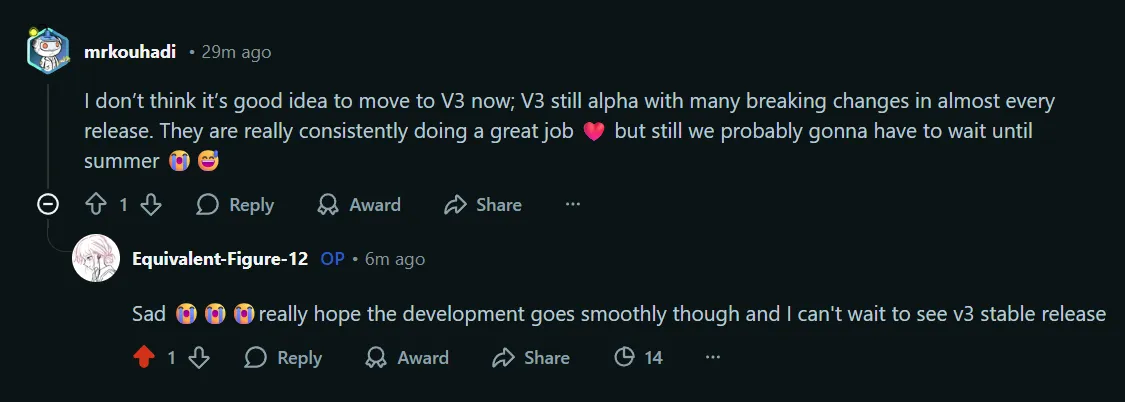
但是另一方面wails v2也有一些让人心(绞)痛的缺点,虽然说作者说在v3里会解决(事实上也真的解决了),但是作者迟迟不发wails v3,每个月还能有break-change,从2020年到现在已经5年了,哪吒都两岁了吧喂喂(゚Д゚*)ノ
当时也算是没做好技术选型就上了,满脑子都是golang,现在吃了苦,想升级v3都不行,这里就写一些缺点,方便有想用wails进行桌面端开发的同学参考,如果你能接受并处理好,就放心大胆的去用吧
槽点#
1. 没有内置托盘功能#
是的,你没听错,偌大一个wails v2居然没有内置托盘功能!! 这意味着你需要自己去找第三方库来实现托盘功能,比如systray ↗一类的东西。
用是可以用的,但是就是不太好用,你需要处理wails v2提供的窗口生命周期和systray的生命周期之间的关系,还有搞明白几个重要的参数和程序行为。
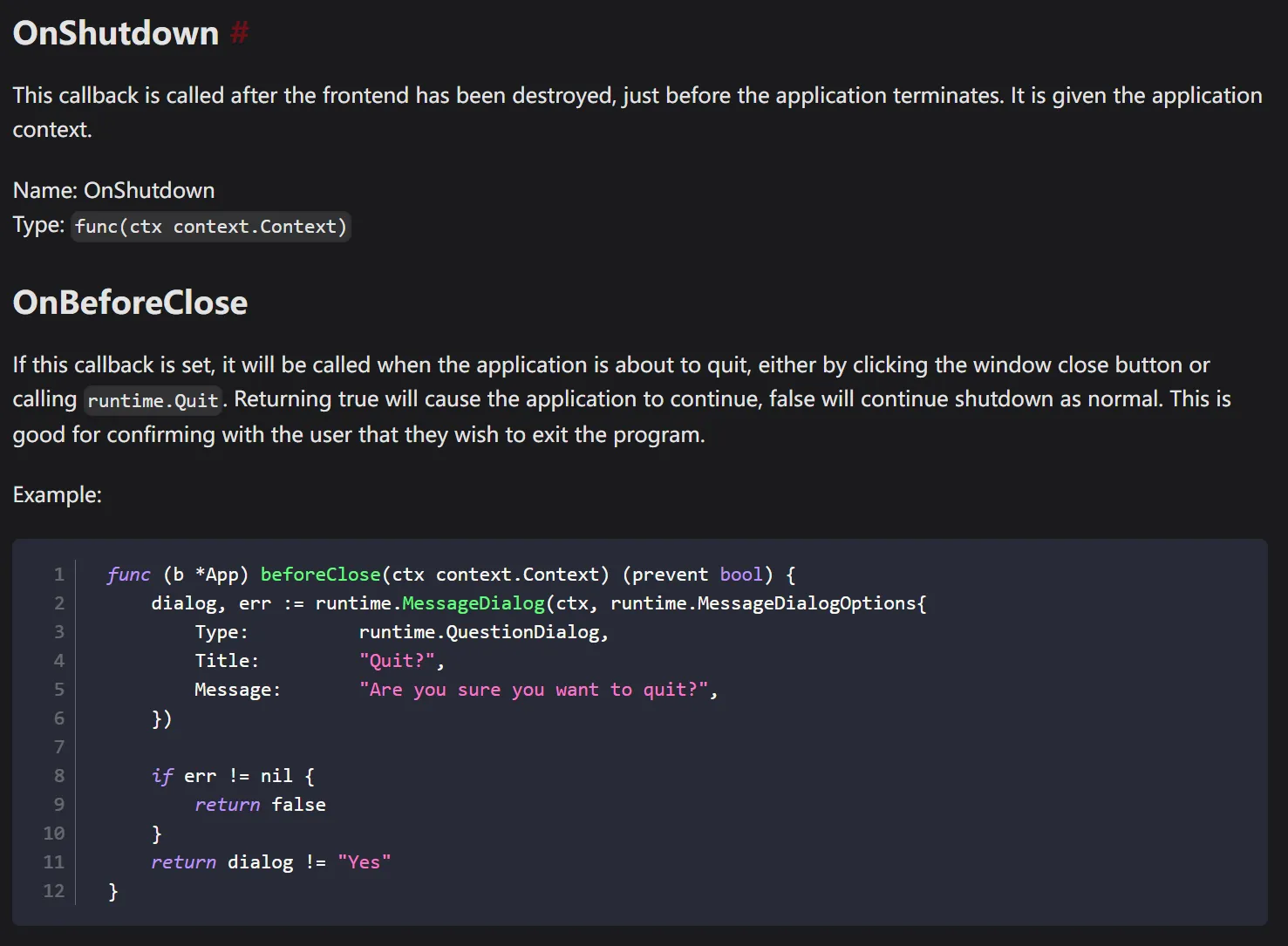
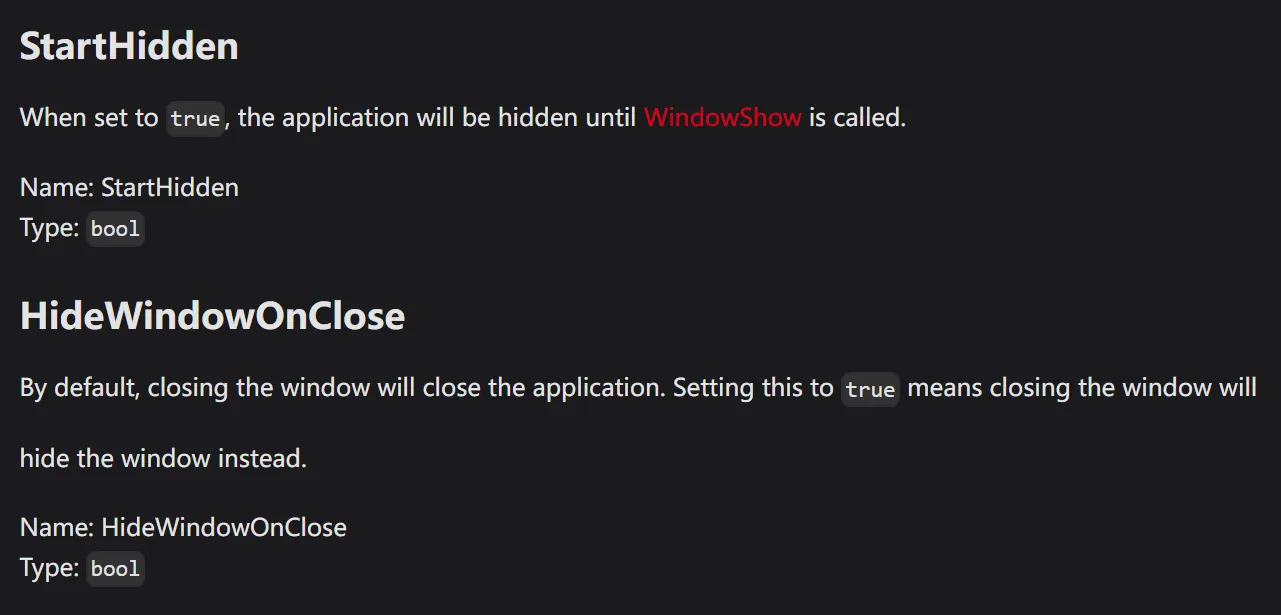
窗口会有3个行为,分别是Quit,Hide和Show
- Quit - 销毁前端WebView,后端也准备停止工作
- Hide - WebView后台运行,但不显示托盘图标,后端也正常工作,对应
runtime.WindowHide(ctx) - Show - 唤出WebView前台运行,对应
runtime.WindowShow(ctx)
当你点击了关闭按钮,wails会捕捉到这个系统行为,调用runtime.Quit()尝试正常退出。
// Quit the application
func Quit(ctx context.Context) {
  if ctx == nil {
    log.Fatalf("Error calling 'runtime.Quit': %s", contextError)
  }
  appFrontend := getFrontend(ctx)
  appFrontend.Quit()
}

//\wails\v2@v2.11.0\internal\frontend\desktop\windows\frontend.go
func (f *Frontend) Quit() {
  if f.frontendOptions.OnBeforeClose != nil && f.frontendOptions.OnBeforeClose(f.ctx) {
    return
  }
  // Exit must be called on the Main-Thread. It calls PostQuitMessage which sends the WM_QUIT message to the thread's
  // message queue and our message queue runs on the Main-Thread.
  f.mainWindow.Invoke(winc.Exit)
}需要注意的是,wails中HideWindowOnClose的优先级会高于OnBeforeClose,即只要配置了HideWindowOnClose为true,你点击关闭按钮窗口会直接Hide,WebView最小化工作,你的程序就退出不了了!
所以你只能在OnBeforeClose中去手动判断用户究竟是要退出,还是要最小化到托盘工作,我使用了一个goroutine异步运行托盘,通过chan来和walis主进程同步生命周期。
OnBeforeClose: func(ctx context.Context) bool {
  // 如果是从托盘强制退出,直接允许关闭
  if forceQuit {
    return false
  }
  if config.CloseToTray {
    runtime.WindowHide(ctx)
    return true
  }
  return false
},

OnStartup: func(ctx context.Context) {
  appCtx = ctx
  // .......

  configService.Init(ctx, db, config)
  // 设置安全退出回调
  configService.SetQuitHandler(func() {
    forceQuit = true
    runtime.Quit(ctx)
  })

  //......

  // 在 Wails 启动后初始化系统托盘
  systrayQuit = make(chan struct{})
  go systray.Run(onSystrayReady, onSystrayExit)
},

OnShutdown: func(ctx context.Context) {
  // 关闭系统托盘
  if systrayQuit != nil {
    systray.Quit()
    <-systrayQuit // 等待 systray 完全退出
  }

  //......

  // 保存配置
  if err := appconf.SaveConfig(config); err != nil {
    appLogger.Error("failed to save config: " + err.Error())
  }
}托盘的配置如下:
// 系统托盘初始化
func onSystrayReady() {
  systray.SetIcon(icon)
  systray.SetTitle("LunaBox")
  systray.SetTooltip("LunaBox")

  // 点击托盘图标时显示窗口
  systray.SetOnClick(func(menu systray.IMenu) {
    if appCtx != nil {
      runtime.WindowShow(appCtx)
    }
  })

  // 双击托盘图标时也显示窗口
  systray.SetOnDClick(func(menu systray.IMenu) {
    if appCtx != nil {
      runtime.WindowShow(appCtx)
    }
  })

  mShow := systray.AddMenuItem("显示主窗口", "显示 LunaBox 主窗口")
  systray.AddSeparator()
  mQuit := systray.AddMenuItem("退出", "退出 LunaBox")

  mShow.Click(func() {
    if appCtx != nil {
      runtime.WindowShow(appCtx)
    }
  })

  mQuit.Click(func() {
    // 通过托盘退出时,设置强制退出标志,绕过 OnBeforeClose 的最小化逻辑
    forceQuit = true
    if appCtx != nil {
      runtime.Quit(appCtx)
    }
  })
}

func onSystrayExit() {
  if systrayQuit != nil {
    close(systrayQuit)
  }
}因为我还有允许自动退出重新同步数据,所以还有一个SafeForceQuit,这里不多赘述。
现在这样写有点问题,就是托盘可能晚于主线程退出结束,两个系统的生命周期不同步,会导致托盘卡住,WebView无法换出的情况,但发生不经常,大概有1/10的概率,感觉是我自己的代码有待改进,欢迎大佬指点。
wails v3提供了原生系统托盘的选项,期待正式版放出。
2. Vite v5.0.0+ 下Wails开发服务器不再正确服务Assets文件#
这意味着如果你使用了Vite v5.0.0+,Wails无法获取并展示一些本地资源,如图片等。
相关issue链接:
Dynamic assets not loading in dev mode since updating vite to v5.0.0+ #3240 ↗
feat!: appType (spa, mpa, custom), boolean middlewareMode #8452 ↗
看问题描述好像问题是和 Vite 对于 SPA 或 MPA 不再起作用的问题相关,团队提到会在v3进行解决,在v2下,你需要一些特殊的处理方法解决这个问题,这里我通过 AssetServer.Middleware 实现了一个自定义的 HTTP 中间件来解决这个问题,大体思路是这样的:
-
使用路径前缀 (/local/),通过检查 URL 路径前缀,将特定路径的请求直接拦截并交给自定义的 localFileHandler 处理,完全绕过 Vite 的资源服务器。
-
中间件在请求到达 Vite dev server 之前就处理了 /local/ 路径,避免了 Vite 的严格文件系统检查。
-
同时添加了 CORS 支持,适用于开发环境,避免跨域问题。
代码如下:
// main.go
AssetServer: &assetserver.Options{
  Assets: assets,
  Middleware: func(next http.Handler) http.Handler {
    return http.HandlerFunc(func(w http.ResponseWriter, r *http.Request) {
      // 跨域处理
      w.Header().Set("Access-Control-Allow-Origin", "*")
      w.Header().Set("Access-Control-Allow-Methods", "GET, POST, PUT, DELETE, OPTIONS")
      w.Header().Set("Access-Control-Allow-Headers", "Content-Type, Authorization")

      if r.Method == "OPTIONS" {
        w.WriteHeader(http.StatusOK)
        return
      }

      if strings.HasPrefix(r.URL.Path, "/local/") {
        localFileHandler.ServeHTTP(w, r)
        return
      }

      next.ServeHTTP(w, r)
    })
  },
},

//internal/utils/local_file_handler.go

type LocalFileHandler struct {
  appDir string
}

func NewLocalFileHandler() (*LocalFileHandler, error) {
  appDir, err := GetDataDir()
  if err != nil {
    return nil, err
  }
  return &LocalFileHandler{
    appDir: appDir,
  }, nil
}

// ServeHTTP 实现 http.Handler 接口
func (h *LocalFileHandler) ServeHTTP(w http.ResponseWriter, r *http.Request) {
  // 只处理 /local/ 开头的请求
  if !strings.HasPrefix(r.URL.Path, "/local/") {
    http.NotFound(w, r)
    return
  }

  // 移除 /local/ 前缀
  relativePath := strings.TrimPrefix(r.URL.Path, "/local/")

  // 构建完整路径
  fullPath := filepath.Join(h.appDir, relativePath)

  // 清理路径
  cleanPath := filepath.Clean(fullPath)

  // 检查文件是否存在
  if _, err := os.Stat(cleanPath); os.IsNotExist(err) {
    http.NotFound(w, r)
    return
  }

  // 设置缓存头
  w.Header().Set("Cache-Control", "public, max-age=31536000")

  // 提供文件服务
  http.ServeFile(w, r, cleanPath)
}3. 不支持内部多窗口功能#
这就意味着无法实现你在 VS Code、Figma 或 JetBrains IDE 中看到的那种多窗口 / 多面板布局,你只能通过css划分出不同区域,而且共用同一个js主线程,效果并不好
这里我还没推进相关的需求,没有深入研究,所以暂时没有什么解决方案 XD
不过看wails v3 ↗已经也准备原生支持了,非常期待,快快端上来吧🤓
总结#
不过说到底,wails确实是一个非常好的框架,开发体验1等1的好,虽然目前有很多问题,但是相信随着社区的努力,这个项目会越来越好的